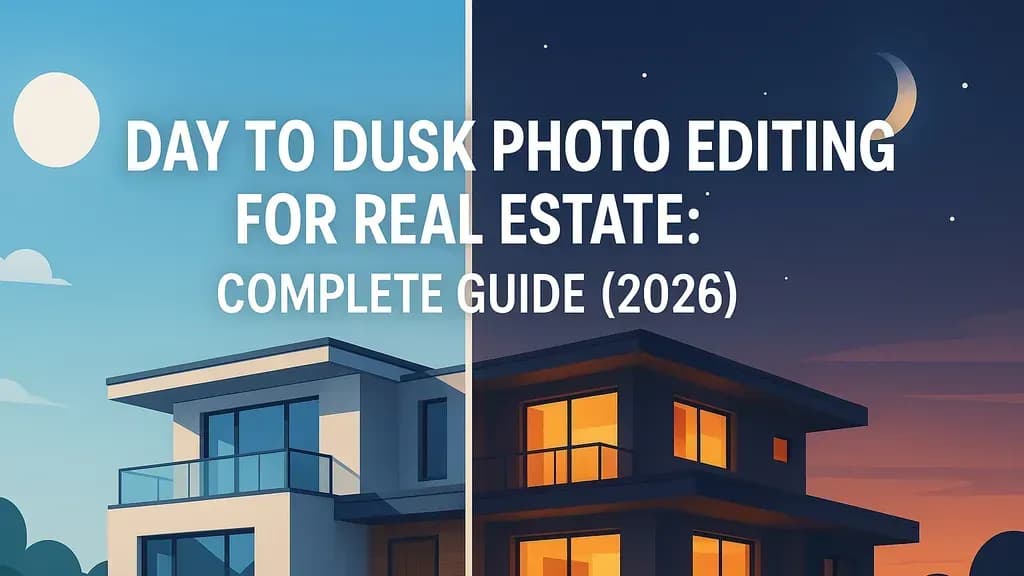
Day to dusk photo editing transforms ordinary daytime property photos into captivating twilight images that make listings stand out. If you're a real estate agent, photographer, or property manager looking to boost engagement on your listings, this technique can be your secret weapon.
Studies show that listings featuring twilight photos can see up to 76% more views than those with standard daylight images. That's not a small difference—it's the gap between a listing that gets scrolled past and one that stops buyers in their tracks.
This guide covers everything you need to know about day to dusk editing: what it is, why it works, how much it costs, and the step-by-step process to create convincing twilight effects.
Table of Contents
- What Is Day to Dusk Photo Editing?
- Why Twilight Photos Perform Better
- Day to Dusk Editing vs. Real Twilight Photography
- What Software and Tools You Need
- Step-by-Step Editing Process
- Common Mistakes to Avoid
- Pricing: What to Expect
- When to Use Day to Dusk Photos
- Frequently Asked Questions
What Is Day to Dusk Photo Editing?
Day to dusk editing—sometimes called sky replacement or twilight simulation—is a post-processing technique where a photo taken during regular daylight hours is digitally transformed to look like it was shot at dusk.
The process involves:
- Replacing the daytime sky with a twilight gradient (deep blue at the zenith, warm tones near the horizon)
- Adding warm glows to windows to simulate interior lights being turned on
- Enhancing exterior lighting like porch lights, landscape fixtures, and pool lighting
- Adjusting shadows, contrast, and color temperature to match evening conditions
The process typically takes an experienced editor between 30 minutes to a few hours per image, depending on complexity. AI-powered tools have sped this up considerably—some services now deliver results in under 60 seconds.
[Image: Side-by-side comparison showing the same house exterior photo before (bright daylight) and after (warm twilight with glowing windows and purple-blue sky)]
Why Twilight Photos Perform Better
Twilight images aren't just prettier versions of daytime shots. They trigger specific psychological and emotional responses that drive buyer behavior.
The Psychology Behind Twilight Appeal
Twilight represents transition—an end to the day and the promise of rest, comfort, and family time. When buyers see a home bathed in soft light with glowing interiors, they subconsciously imagine themselves living in it.
The warm window glow against a cool evening sky creates a visual that says "home" in a way that harsh midday sunlight never can. It's the difference between viewing a property and envisioning your life there.
The Numbers Don't Lie
Multiple studies across the real estate photography industry have documented the performance lift from twilight images:
- Using a twilight image as the listing's main photo averaged 76% more views than listings without twilight images
- A study by Redfin revealed that listings with dusk images received 3-5% more inquiries than those without
- Twilight photos get 40% more views and help homes sell 23% faster
- Professionally edited real estate photos can increase the overall sales price by 47%
These aren't marginal improvements. In a competitive market, twilight photos can be the deciding factor between a quick sale and weeks of showings.
[Image: Infographic showing key statistics - 76% more views, 40% more engagement, 23% faster sales]
Day to Dusk Editing vs. Real Twilight Photography
You have two options for getting twilight images: shoot them naturally or create them through editing. Each has trade-offs.
Real Twilight Photography
Twilight photography means showing up at the property at the right moment—typically 15 to 25 minutes after the sun dips below the horizon—when the natural sky and the interior/exterior artificial lights reach near-perfect exposure balance. This window is often called the "blue hour," though it's really closer to 15–20 minutes in practice.
Pros:
- Real twilight photography captures something fundamentally different—a living, breathing moment in time where the light is doing something that no amount of post-processing can fully reproduce
- Natural light spill from windows onto exterior surfaces
- Authentic atmospheric conditions
Cons:
- A dedicated twilight photography session usually involves an additional booking fee—often $150–$400
- Weather-dependent and scheduling-intensive
- Requires the property to be ready at exactly the right time
- Limited to one specific time window per day
Day to Dusk Editing
Pros:
- Day to dusk editing typically adds $50–$150 per image to your photography costs, depending on the service or retoucher
- No scheduling complexity or weather dependencies
- Consistent results across multiple images
- Can be applied retroactively to existing daytime photos
Cons:
- A poorly executed day to dusk edit is easy to spot. The window glow doesn't match the direction of the "sunset," the sky looks like a stock photo pasted behind the house, or the shadows fall in impossible directions. When it's bad, it actually hurts the listing—buyers sense something is off even if they can't articulate exactly what
- Requires skilled editing to look authentic
The smartest agents and photographers don't choose between them—they understand what each delivers and match the technique to the listing, the budget, and the goal.
For most residential listings, high-quality day to dusk editing delivers 90% of the visual impact at a fraction of the cost and complexity.
What Software and Tools You Need
The tools for day to dusk editing range from professional-grade software requiring advanced skills to AI-powered services that handle the work for you.
Manual Editing Software
Using software like Adobe Photoshop, Luminar AI, or specialised real estate editing tools, retouchers replace the original sky with a dramatic sunset or twilight sky, add artificial warm window glows, deepen shadows, and apply colour grading to simulate that golden hour atmosphere.
Adobe Photoshop + Lightroom The industry standard for professional editing. Offers complete control over every aspect of the transformation. Steep learning curve but unlimited creative potential.
Luminar Neo Features AI-powered sky replacement tools that make the process faster than traditional Photoshop workflows. Good middle ground between full manual control and automated solutions.
AI-Powered Services
Several services now offer AI-based day to dusk conversion with minimal manual input:
- Professional editing services with 24-48 hour turnaround
- AI tools that process images in seconds
- Hybrid services combining AI processing with human quality control
Pricing typically ranges from $4-$10 per image for professional services. Some AI tools offer subscription models.
For real estate professionals who need consistent results without learning complex software, AI-powered tools can handle day to dusk conversions alongside virtual staging and other photo improvements.
Step-by-Step Day to Dusk Editing Process
Whether you're editing manually in Photoshop or understanding what professional services do, here's how the transformation works.
Step 1: Start with a Quality Daytime Photo
The best results come from well-composed daytime exteriors with:
- Clear skies (or easily maskable skies)
- Proper exposure without blown highlights
- Lights turned ON inside the home during the daytime shoot (this creates natural window glow to work with)
- Good composition showing the property's best angle
Pro tip: If you're shooting specifically for day to dusk conversion, turn all interior and exterior lights on during the daytime shoot. This gives you actual light sources to enhance rather than fabricating them entirely in post.
Step 2: Adjust Overall Exposure and Temperature
Reduce overall exposure to simulate evening light. Professionals use selective masking, color grading, and advanced blending techniques to simulate the "blue hour" effect: cool skies paired with warm, inviting interior glows. Window color temperature is typically adjusted to 2700–3000K to create the effect of lights turned on inside.
Increase white balance temperature slightly to add warmth, but keep the overall scene cooler than midday (you'll add warmth selectively in later steps).
Step 3: Replace the Sky
Replace blank midday skies with gradients (indigo at zenith, warmer near horizon) and natural cloud textures.
The key to realistic sky replacement:
- Use gradients, not solid colors (the sky transitions from deep blue/purple overhead to warmer tones near the horizon)
- Match the direction of the original sun position
- Add subtle clouds or texture—perfectly smooth skies look fake
- Blend edges carefully where sky meets structures
Step 4: Create Window Glow
This is the signature element of twilight photos. Windows should appear lit from within.
If you shot with lights on:
- Create a virtual copy of your image with exposure boosted significantly
- Use layer masking to blend only the window areas from the bright version
- Add a subtle outer glow to simulate light spill
If you shot with lights off:
- Select window panes individually
- Fill with warm yellow-orange tones (2700-3000K color temperature)
- Add gaussian blur and reduce opacity for realistic glow
- Paint in subtle light spill onto nearby surfaces
Step 5: Enhance Exterior Lighting
Emphasize porch, garage, and pathway lights by increasing their visibility—making sure light behavior aligns with the direction of the twilight sky.
Brighten practical light sources like:
- Porch lights and wall sconces
- Landscape lighting and path lights
- Pool lighting (if applicable)
- Garage door fixtures
Add warm glows around these fixtures to show they're illuminated.
Step 6: Balance Shadows and Highlights
Deepen and soften outdoor shadows, brighten key areas, and minimize glare on siding or roofs.
Twilight has softer, longer shadows than midday. Use dodge and burn techniques to:
- Deepen shadows on the side of the building away from the "setting sun"
- Soften hard shadow edges
- Reduce harsh highlights on reflective surfaces
Step 7: Final Color Grading
Unify the image with overall color adjustments:
- Add a subtle blue-purple tone to shadows
- Warm up highlights slightly
- Increase vibrance moderately (but avoid oversaturation)
- Apply a subtle vignette to draw focus to the property
[Image: Step-by-step visual breakdown showing the progression from original photo through sky replacement, window glow, lighting enhancement, and final color grade]
Common Mistakes to Avoid
Realism anchors effective day to dusk edits. Technical missteps can make images look staged or misleading, undermining credibility and potentially breaching MLS rules. Common mistakes include overly saturated or unrealistic skies, magenta-only sunsets and hard banding look artificial—opt for natural gradients and cloud textures.
Unrealistic Sky Colors
Avoid neon pinks, unnaturally vivid purples, or skies that look like they belong on another planet. Real twilight skies have subtle gradations.
Light Direction Mismatches
Ensure that shadows and glows from both exterior and interior sources align with the direction of the new sky. If your sky shows sunset to the left, shadows should fall accordingly.
Overblown Window Glow
Windows should glow warmly, not look like they're on fire. Retain subtle halo effects but maintain fixture detail for authenticity.
Inconsistent Color Temperature
Windows should be warmer than the sky; avoid cold, bluish glows. The entire appeal of twilight photos is the warm-versus-cool contrast.
Removing Permanent Features
The editing should never misrepresent the actual physical condition or features of the property. Replacing a daytime sky with a twilight sky is widely accepted; adding or removing structural features is not.
Most MLS boards allow day to dusk conversion as long as the property itself remains accurately represented.
Pricing: What to Expect
Costs vary widely based on whether you're doing it yourself, hiring a freelancer, or using a professional service.
Professional Editing Services
- Budget services: $4-$8 per image (24-48 hour turnaround)
- Mid-tier services: $10-$25 per image (12-24 hour turnaround, higher quality control)
- Premium retouchers: $50-$150 per image (custom work, fastest turnaround)
AI-Powered Tools
- Subscription models: $20-$100/month for unlimited or high-volume processing
- Pay-per-image: $5-$15 per photo
- Bundled services: Often included with virtual staging packages
Compare this to a dedicated twilight photography session [which] usually involves an additional booking fee—often $150–$400. If you need twilight images for even three properties per month, editing is far more cost-effective than separate photo sessions.
DIY Costs
If you're editing yourself:
- Adobe Creative Cloud Photography Plan: $9.99/month (Photoshop + Lightroom)
- Luminar Neo: $99 one-time purchase or $79/year subscription
- Your time: 30 minutes to 2 hours per image (depending on skill level)
For real estate professionals without photo editing experience, outsourcing is almost always more cost-effective than the learning curve and time investment.
When to Use Day to Dusk Photos
Day to dusk editing works particularly well for:
Properties with Strong Exterior Features
Homes with landscape lighting, porch lights, accent lighting, and warm interior fixtures photograph beautifully in twilight conditions. Pools with lighting, architectural features with uplighting, and properties with extensive outdoor living spaces all benefit dramatically.
Hero Images
Typically, day to dusk editing is applied to one or two hero exterior shots—the front of the property and perhaps a rear or pool shot. Applying it to interior images or multiple exterior angles can look inconsistent. Most real estate photographers recommend using the twilight image as the primary hero shot while keeping all other images as standard daytime photography for visual coherence.
Competitive Markets
In markets where dozens of similar properties compete for attention, twilight images provide instant visual differentiation. They're particularly effective when your listing appears in grid view alongside competitors—the warm glow stands out immediately.
Higher-End Listings
While day to dusk works for any price point, it's especially valuable for properties over $500K where perceived luxury and emotional appeal significantly influence buying decisions.
Virtual Staging + Day to Dusk: A Powerful Combination
For vacant properties, combining virtual staging for interiors with day to dusk editing for exteriors creates a complete visual package that shows the property at its absolute best.
AI-powered virtual staging tools can furnish empty rooms in minutes, while day to dusk editing ensures the exterior makes a memorable first impression. Together, these techniques create a cohesive presentation that helps buyers envision the lifestyle a property offers.
If you're already investing in virtual staging, adding day to dusk conversion to your exterior shots is a natural extension. Many services, including AI virtual staging platforms, offer both capabilities in a single workflow.
Frequently Asked Questions
Is day to dusk editing allowed on MLS listings?
Digitally edited images are standard practice in real estate photography, and buyers understand that listing photos represent a property at its best. However, the editing should never misrepresent the actual physical condition or features of the property. Replacing a daytime sky with a twilight sky is widely accepted; adding or removing structural features is not.
Check your local MLS guidelines, but most allow enhanced imagery as long as the property itself is accurately represented.
Can I convert any daytime photo to dusk?
Most well-exposed daytime exteriors can be converted, but results vary. The results can range from convincing and beautiful to obviously fake—it all depends on the skill of the retoucher and the quality of the original image.
Best candidates have:
- Clear or easily replaceable skies
- Good exposure without blown highlights
- Visible exterior lighting fixtures
- Ideally, interior lights turned on during the original shoot
How long does day to dusk editing take?
Timeline depends on your approach:
- Professional services: 12-48 hours typical turnaround
- AI tools: Seconds to minutes
- Manual editing (DIY): 30 minutes to 2+ hours per image
Do twilight photos actually help sell homes faster?
Data suggests yes. Twilight photos get 40% more views and help homes sell 23% faster. While correlation doesn't prove causation, the engagement metrics are consistently higher for listings with twilight imagery.
Can buyers tell the difference between real twilight and edited photos?
Most buyers can't distinguish real twilight from high-quality day to dusk. High-quality day to dusk looks nearly identical to real twilight shots. The key word is "high-quality"—poorly executed edits are obvious and counterproductive.
Final Thoughts
Day to dusk photo editing is one of the highest-ROI improvements you can make to real estate listing photography. The technique is well-established, widely accepted, and consistently delivers measurable results in terms of views, engagement, and buyer interest.
Whether you choose to learn the editing process yourself, hire a professional retoucher, or use an AI-powered service depends on your volume, budget, and technical comfort level. For most real estate professionals, outsourcing to a reliable service strikes the right balance between quality and efficiency.
The investment is modest—often less than the cost of a yard sign—but the visual impact can be the difference between a listing that lingers and one that sells.
If you're looking to enhance your property photos beyond just day to dusk conversion, consider AI-powered virtual staging tools that can handle everything from furniture placement to twilight conversions in a single platform. At $5 per photo, these services make professional-quality imagery accessible for every listing.

